When your screen resolution is 1920 pixels wide, but the Eagle extension captures a full-page screenshot in Microsoft Edge with a width of only 1912 pixels, this is not an error. Microsoft Edge adds a 4-pixel margin on both sides of webpage content to enhance the visual presentation of the page structure. As a result, the actual content width that Eagle captures is 8 pixels less than the full screen width.
How to verify this behavior
You can confirm this by following these verification steps:
- Click the ⋯ icon in the upper right corner of the browser to open the menu
- Select Settings > Sidebar > Copilot
- Close the Copilot sidebar
- Use the shortcut key Ctrl + Shift + I to open "Developer Tools"
- Move your mouse over the main banner element on the homepage
- Check the width displayed in the Developer Tools - if it shows 1912 pixels, this confirms that Eagle is correctly capturing the maximum available width in Edge
Solutions
If you need to capture an image with the full 1920-pixel width using Microsoft Edge:
- Take the screenshot in full screen mode to avoid the 8-pixel reduction
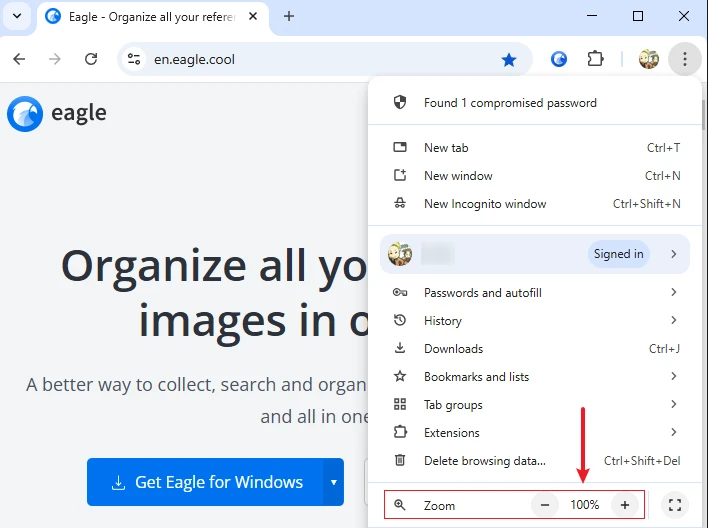
If you notice a larger discrepancy between the screenshot width and your expected dimensions, check your zoom level:
- Make sure your webpage zoom level is set to 100% before taking the screenshot
- Reset the zoom level if necessary, then capture the screenshot again