
Eagle typically operates with low CPU usage when running in the background. If you notice consistently high CPU consumption, it's usually because Eagle is processing resource-intensive tasks such as file imports, indexing, or thumbnail generation. The CPU usage should naturally decrease once these operations complete.
You can verify this by opening Task Manager and sorting processes by CPU usage from high to low. Then observe Eagle's CPU consumption while using the application.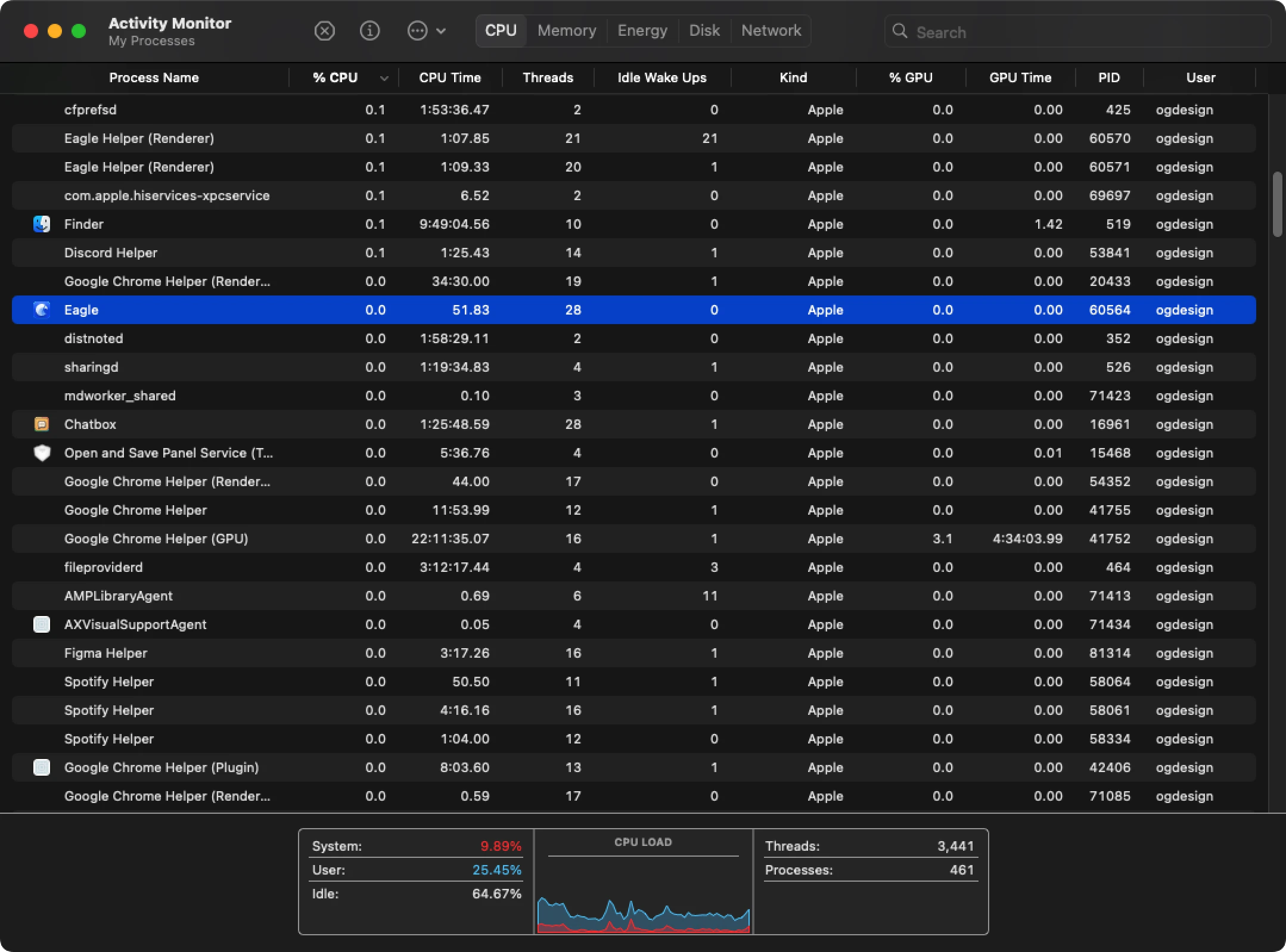
Common Causes and Solutions
If high CPU usage persists, consider these potential solutions:
-
Check GIF autoplay settings: The autoplay feature for GIF files can significantly increase CPU usage. Navigate to "Preferences" > "Viewing Habits" to disable this feature if needed.
-
Verify GPU acceleration: Ensure GPU acceleration is enabled to improve performance. You can confirm this setting in "Preferences" > "General".
-
Disable transparency effects: If your device has lower hardware specifications, turning off the transparent frosted glass effect in "Preferences" > "General" can reduce CPU load.
-
Restart the application: Software running for extended periods may experience resource leaks. Restarting Eagle helps clear accumulated system cache and resolves temporary issues.
-
Test with a new library: Create a new library to determine if specific content in your current library (such as large files or active videos) is causing high CPU usage.
-
Restart your computer: Computers that haven't been restarted for a long time may accumulate temporary files and cache, affecting software performance. A system restart can help resolve these issues.
Notes
-
It's normal for Eagle's CPU usage to temporarily increase during file imports, indexing, or other resource-intensive operations. The usage should automatically decrease after these operations are completed.
-
If the problem persists after trying all the above methods, you may need to check whether your library contains an exceptionally large number of files or special format media files.