
Eagle 4.0 Build18 and later natively supports thumbnail generation for most video formats, making the "Video Thumbnail Extension" plugin no longer necessary. If you have updated to this version or later, you can remove the plugin.
If you are using an older version of Eagle, after installing the "Video Thumbnail Extension" plugin, newly imported video files will automatically generate thumbnails, but existing video files need to have their thumbnails manually refreshed to display properly.
Solution Steps
To enable thumbnail functionality for existing video files, follow these steps:
-
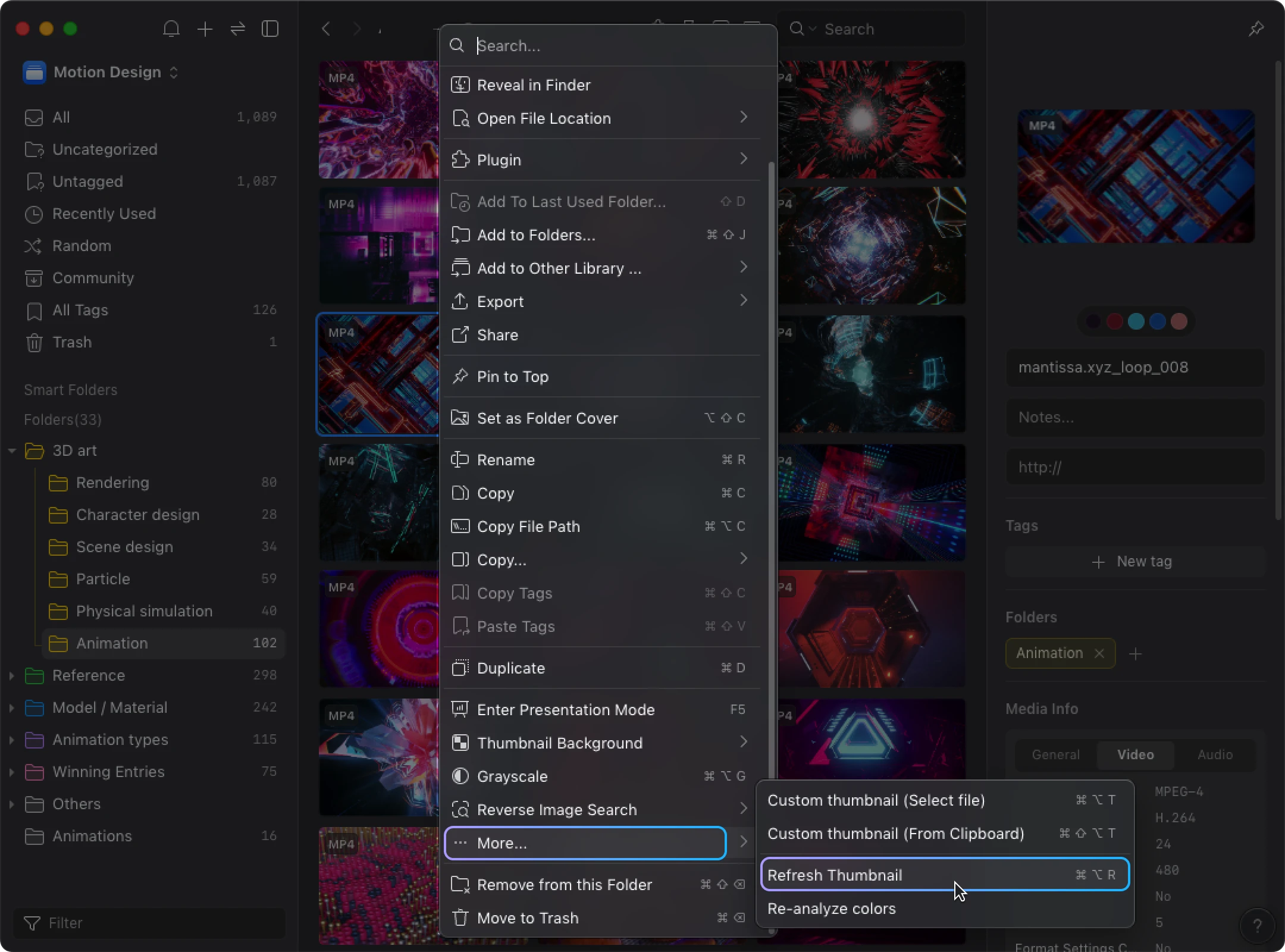
For a single video file: Right-click on the video file that displays abnormally, select "More" > "Refresh Thumbnail"
-
For multiple video files: Select multiple video files, then right-click and choose "More" > "Refresh Thumbnail" to batch update thumbnails