Eagle supports rotation for specific image formats only. If you can't see the rotation function when double-clicking an image, here's what you need to know.
Supported Formats for Rotation
Currently, Eagle supports rotation for the following image formats:
- JPG
- PNG
- BMP
- WEBP (non-animated)

Other formats such as HEIC, GIF, and AVIF are not currently supported for rotation directly within Eagle.
Alternative Solution
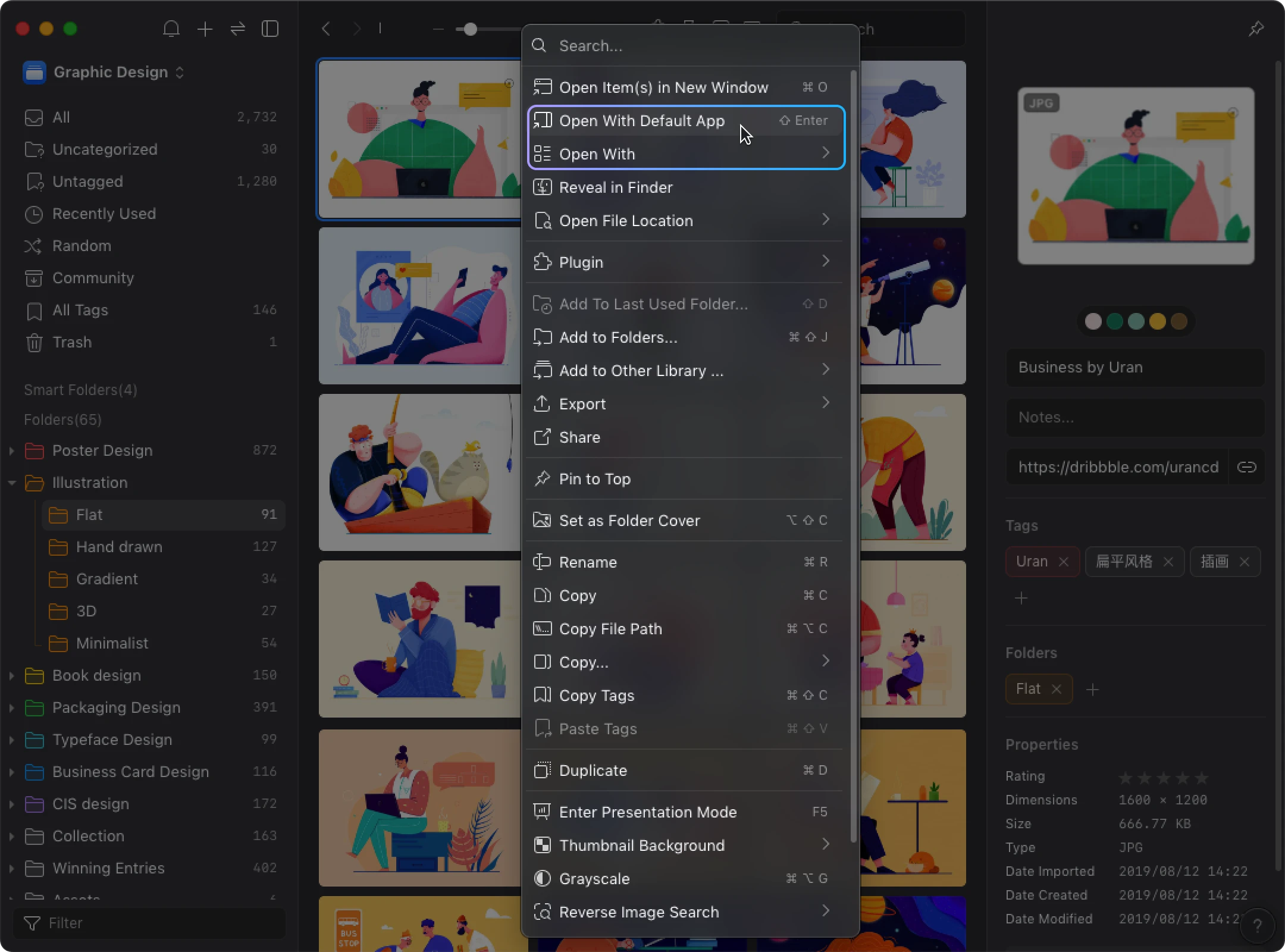
If you need to rotate images in unsupported formats, you can use external image editing software:
- Right-click on the file
- Select "Open with Default Application" or "Open with Other Application"
- Edit and rotate the image in your chosen application (such as Adobe Photoshop or GIMP)
- Save the changes
- The updated image will automatically refresh in Eagle