
Overview
When you use the Pinterest image search plugin to add images to your Eagle library, these images are automatically stored in specific locations. This article will guide you on how to quickly find these collected images.
Default Storage Locations
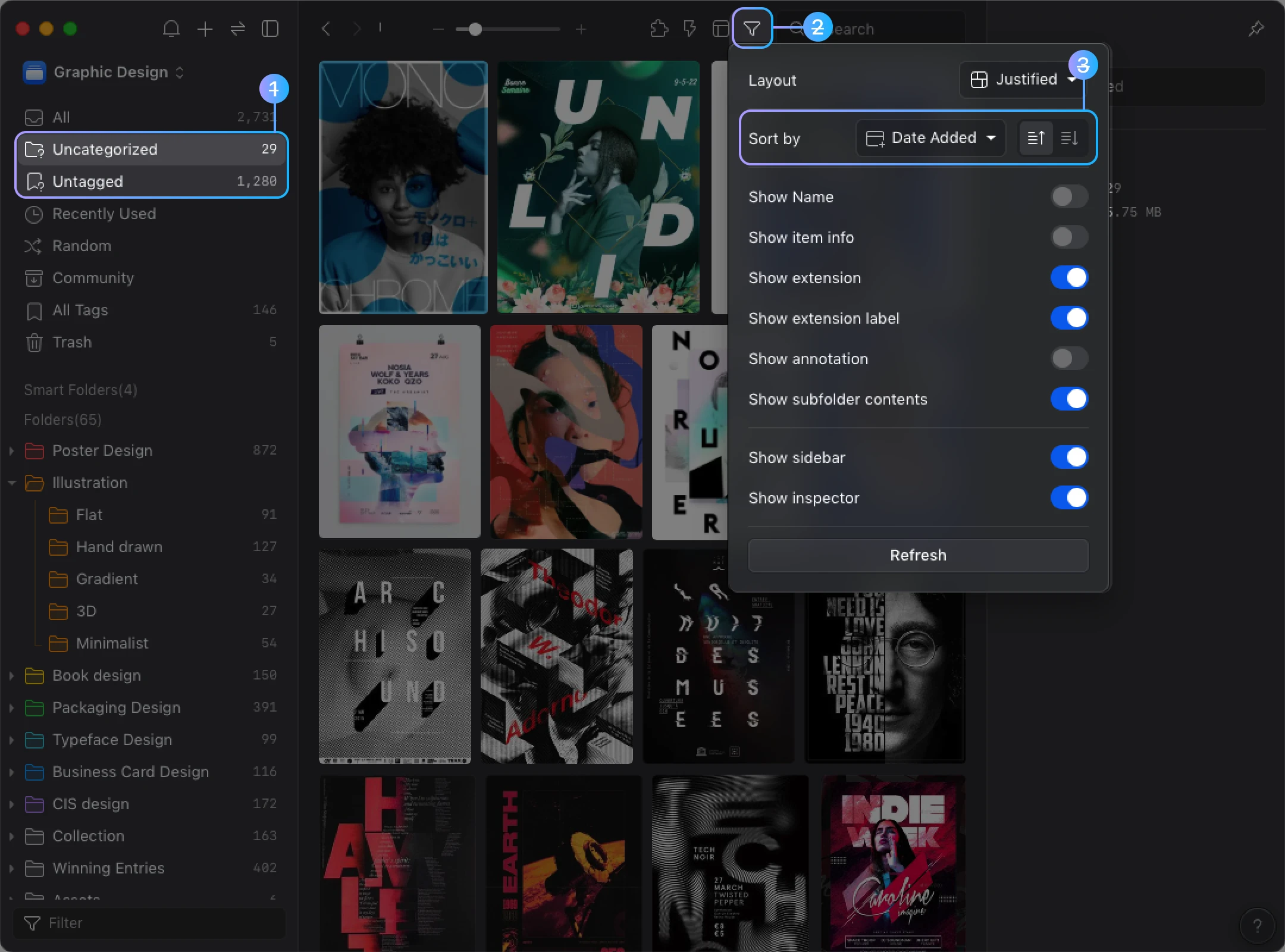
Images collected through the Pinterest plugin are stored in:
- The "All" folder
- The "Uncategorized" folder
How to Quickly Find Recently Added Pinterest Images
To easily locate your newly added Pinterest images:
- Navigate to either the "All" or "Uncategorized" folder
- Set the arrangement method to "Add Date"
- Select "Ascending" order
- Your most recently added images will appear in the top left corner
Key Notes
- Images saved from the Pinterest plugin aren't automatically categorized by default
- Once you locate the images, you can move them to other folders for better organization
- Make sure your Pinterest plugin is properly installed and authorized to ensure images are correctly saved to Eagle