
Why do crashes occur?
Eagle's 3D model import functionality is implemented using web technology. Due to certain limitations of this technology, when processing extremely complex and detailed models, software crashes may occur due to resource constraints.
Solution 1: Install 3D Format Extension Plugin
We recommend installing Eagle's "3D Format Extension" plugin, which can significantly improve the software's ability to handle complex 3D models.
Installation steps:
-
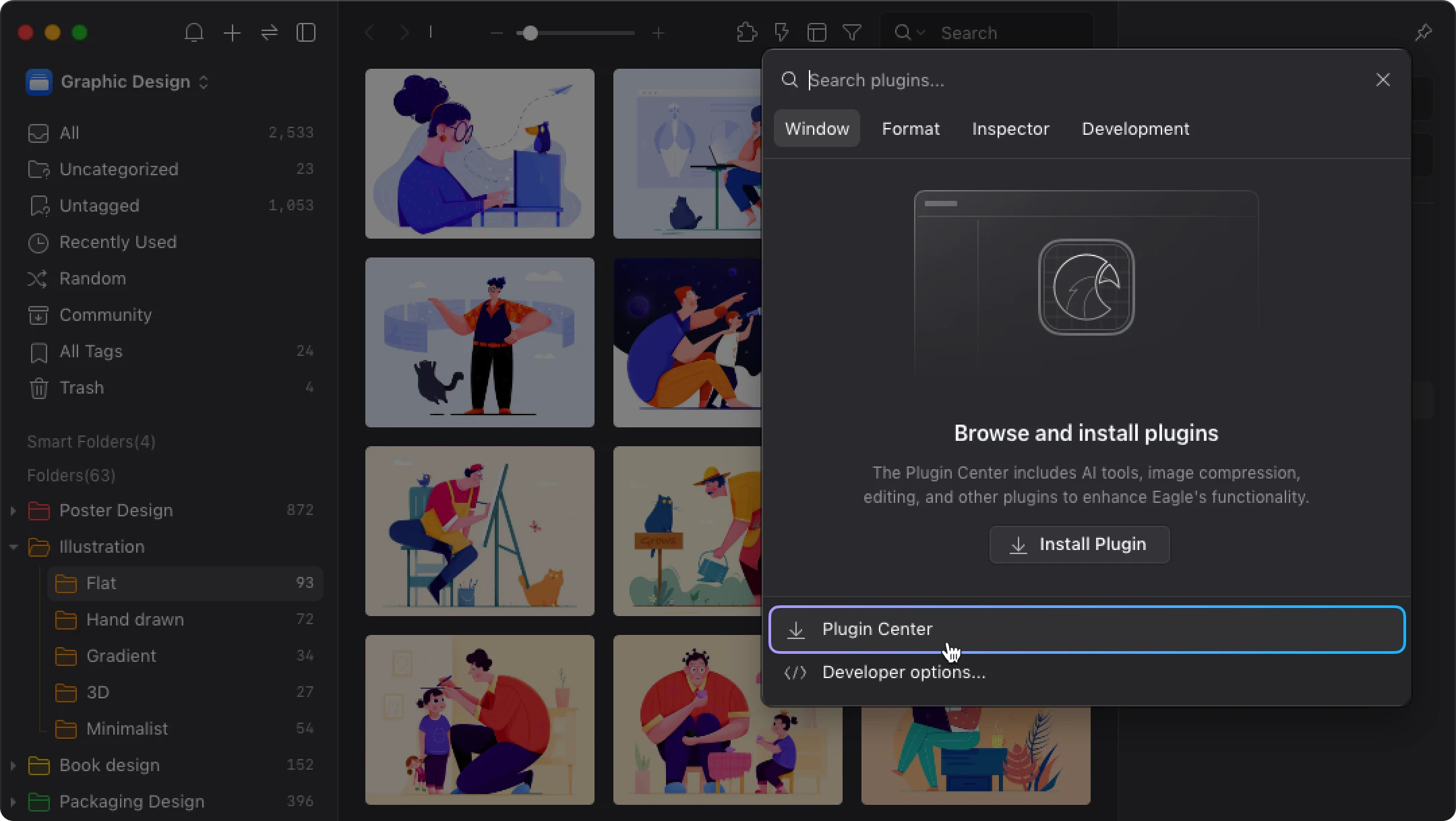
Click the puzzle icon at the top of the list, then select the "Plugin Center" option.

-
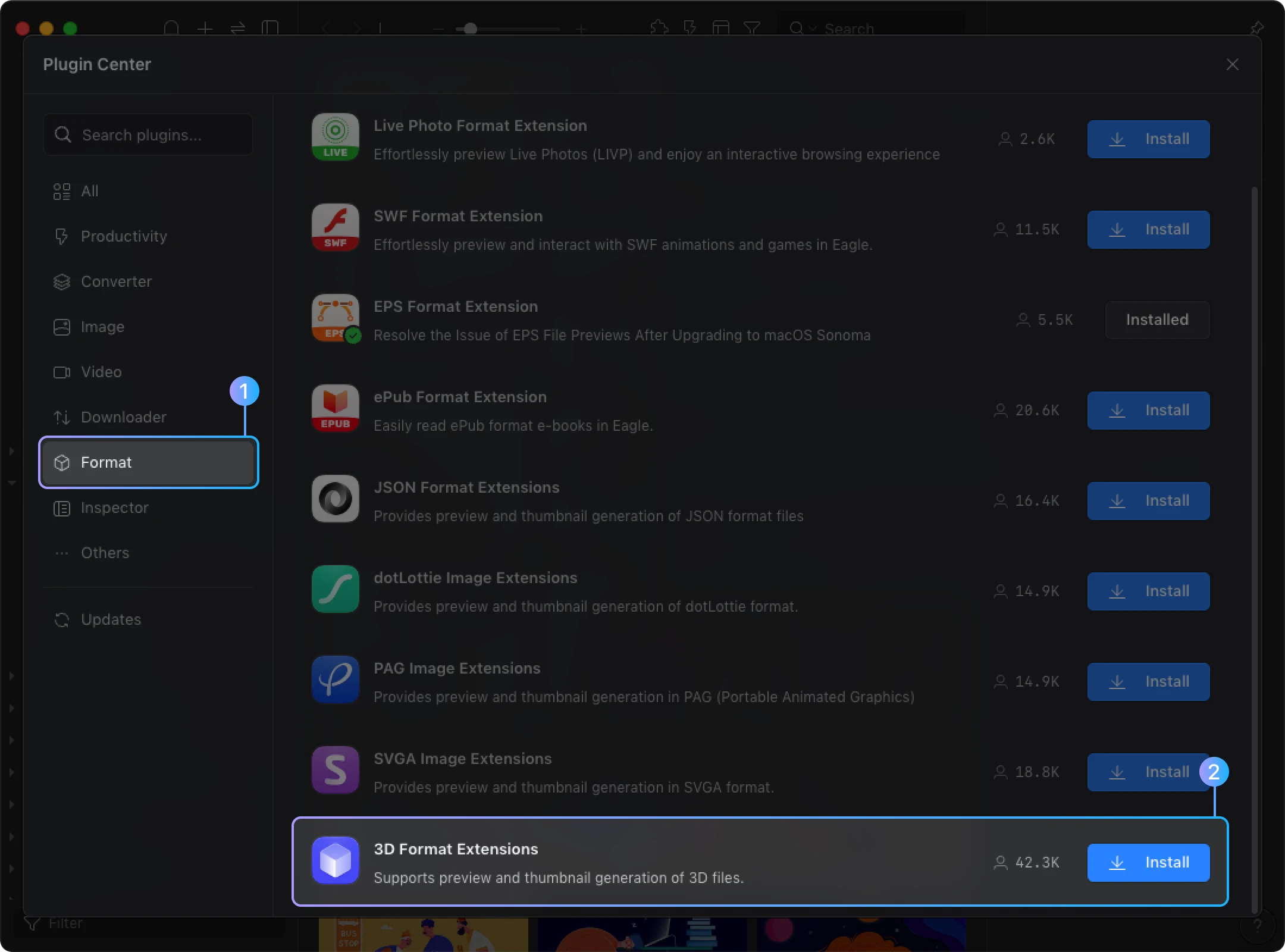
Find the "3D Format Extension" item in the "Format Extensions" category and click the "Install" button.
-
After installation is complete, try importing the 3D model again.
Solution 2: Restart the Software
If you still encounter issues after installing the plugin, restarting the Eagle software may help.
Applicable Situations
Restarting the software is typically applicable in the following situations:
- Software running slowly or becoming unresponsive (possibly due to excessive memory usage)
- Abnormal software state (such as invalid user input or malfunctioning features)
- Need to reload after configuration changes
- Software process stuck or experiencing temporary errors
Restart Steps
-
Close the software:
- Click the "Quit" button in the software interface
- If the software is unresponsive, force close it through Task Manager (Windows) or Activity Monitor (Mac)
-
Restart the software:
- Double-click the software shortcut or launch icon
- Check if the software has restored normal functionality
Restarting can clear memory, reset software state, reload configurations, and resolve temporary issues, thereby restoring normal software operation.
Important Notes
- For particularly large or complex 3D models, you may need to use professional 3D software for preprocessing to reduce model complexity before importing into Eagle
- Ensure your computer meets the minimum system requirements for running Eagle, especially when processing large 3D models