

Eagle 4.0 Build 20: Redesigned Preferences & Plugin Center, AI Plugins Coming Soon
이 콘텐츠는 아직 한국어로 번역되지 않았습니다. 아래에 영문 버전을 보여드리겠습니다.
Build 20 brings a fresh visual overhaul to the Preferences window and Plugin Center, fixes several issues affecting everyday use, and lays the groundwork for upcoming AI plugin features — you can already spot the new "Search by Image" and "Semantic Search" entries in Preferences.
✨ Redesigned Preferences Window
The Preferences window has received a major visual refresh, featuring a brand-new floating card-style design that feels modern and clean.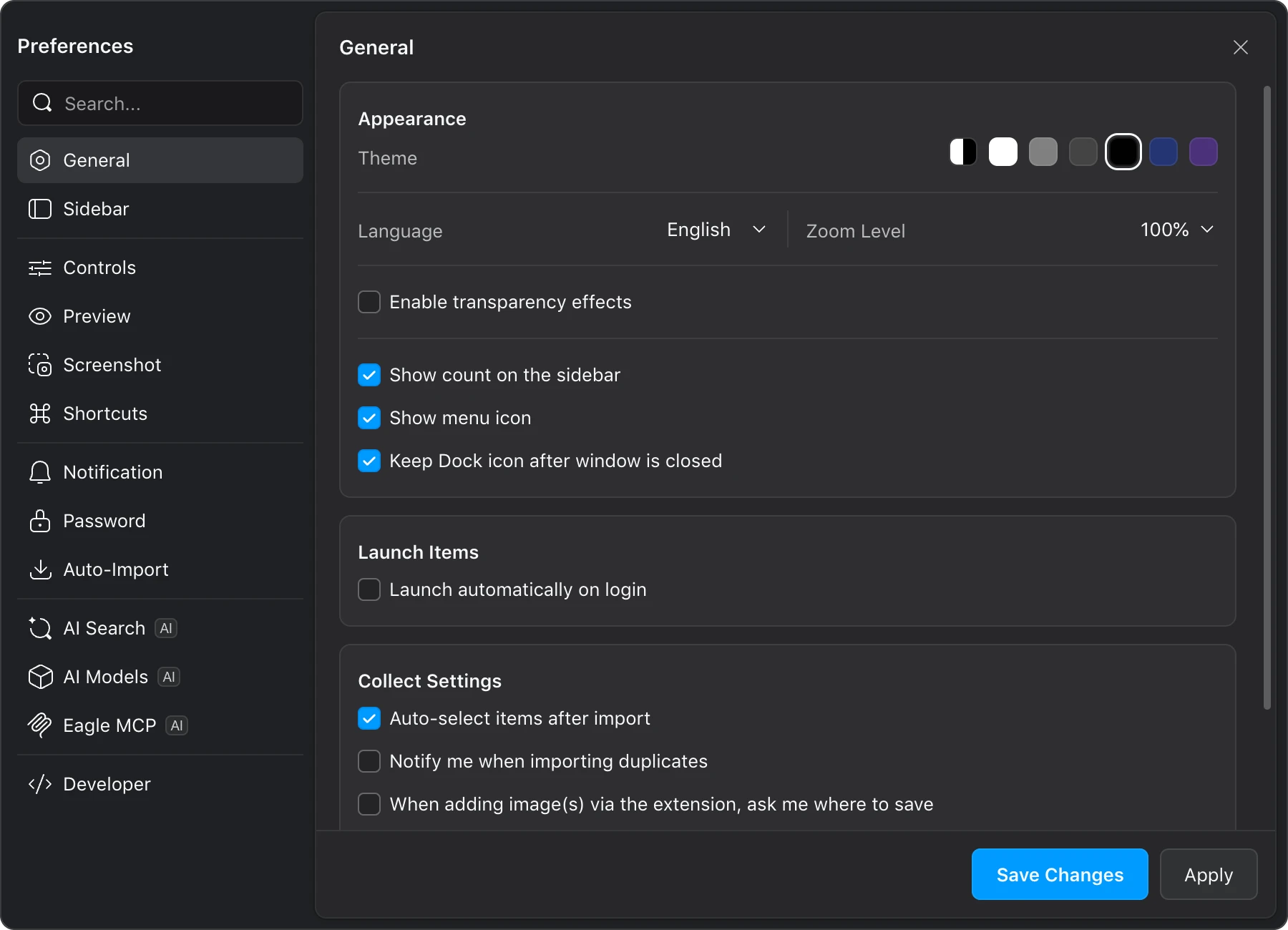
This update goes beyond a simple facelift — we've also refined the overall Preferences experience:
- Floating card design: The window has been redesigned from a traditional embedded panel to a floating card style, giving it a lighter, more airy feel that aligns with the upcoming Eagle 5.0 design direction.
- Standalone window: Preferences now operates as a fully independent window. It's no longer anchored to the main window, so you can freely move it around without blocking your workspace.
- Refreshed sidebar icons: All sidebar icons have been redrawn with a more refined and consistent style.
🧩 Plugin Center Revamped
The Plugin Center has also been completely redesigned to match Eagle 5.0's visual style, making it more comfortable to browse and manage your plugins.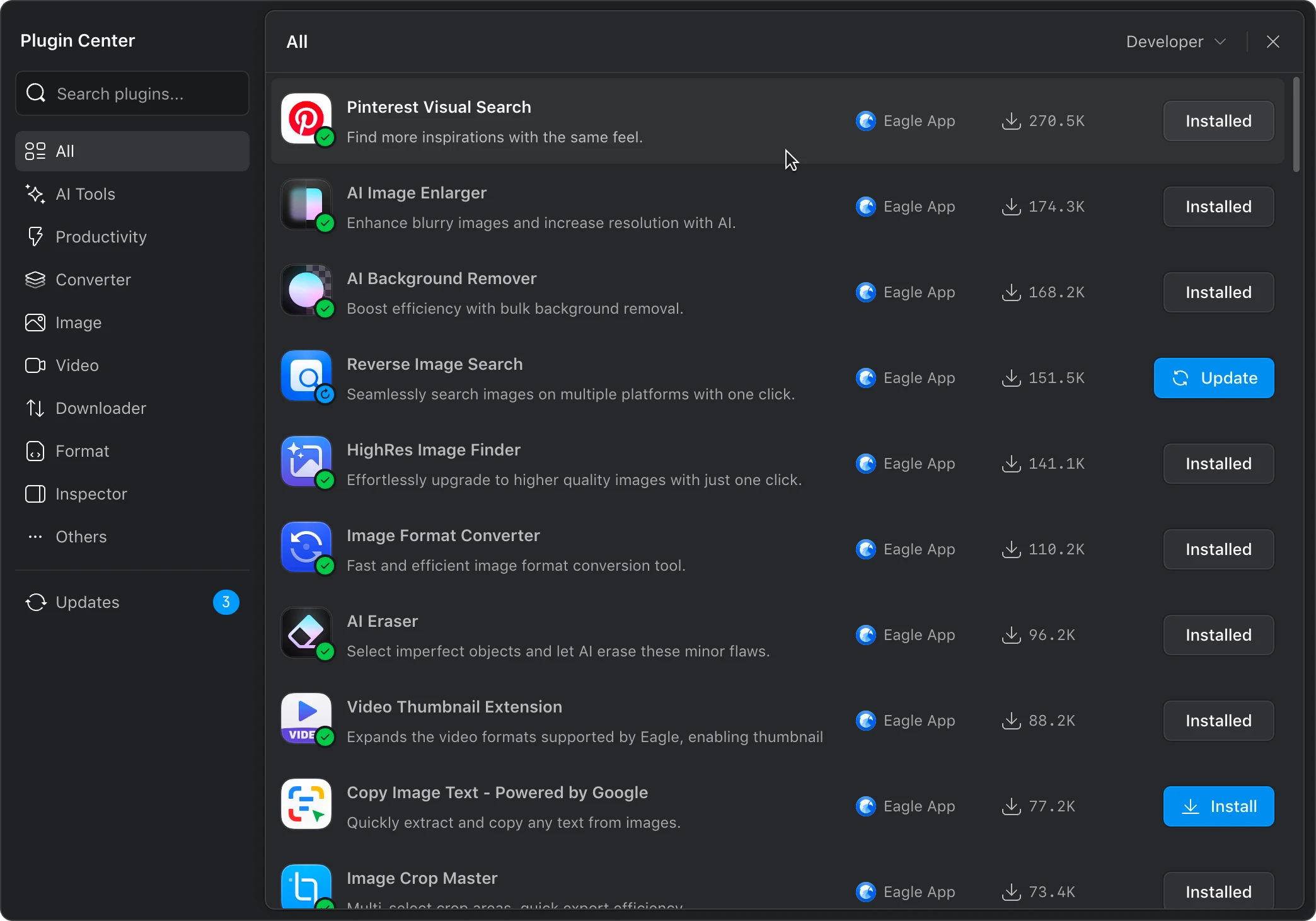

Beyond the visual update, we've also addressed a common workflow friction:
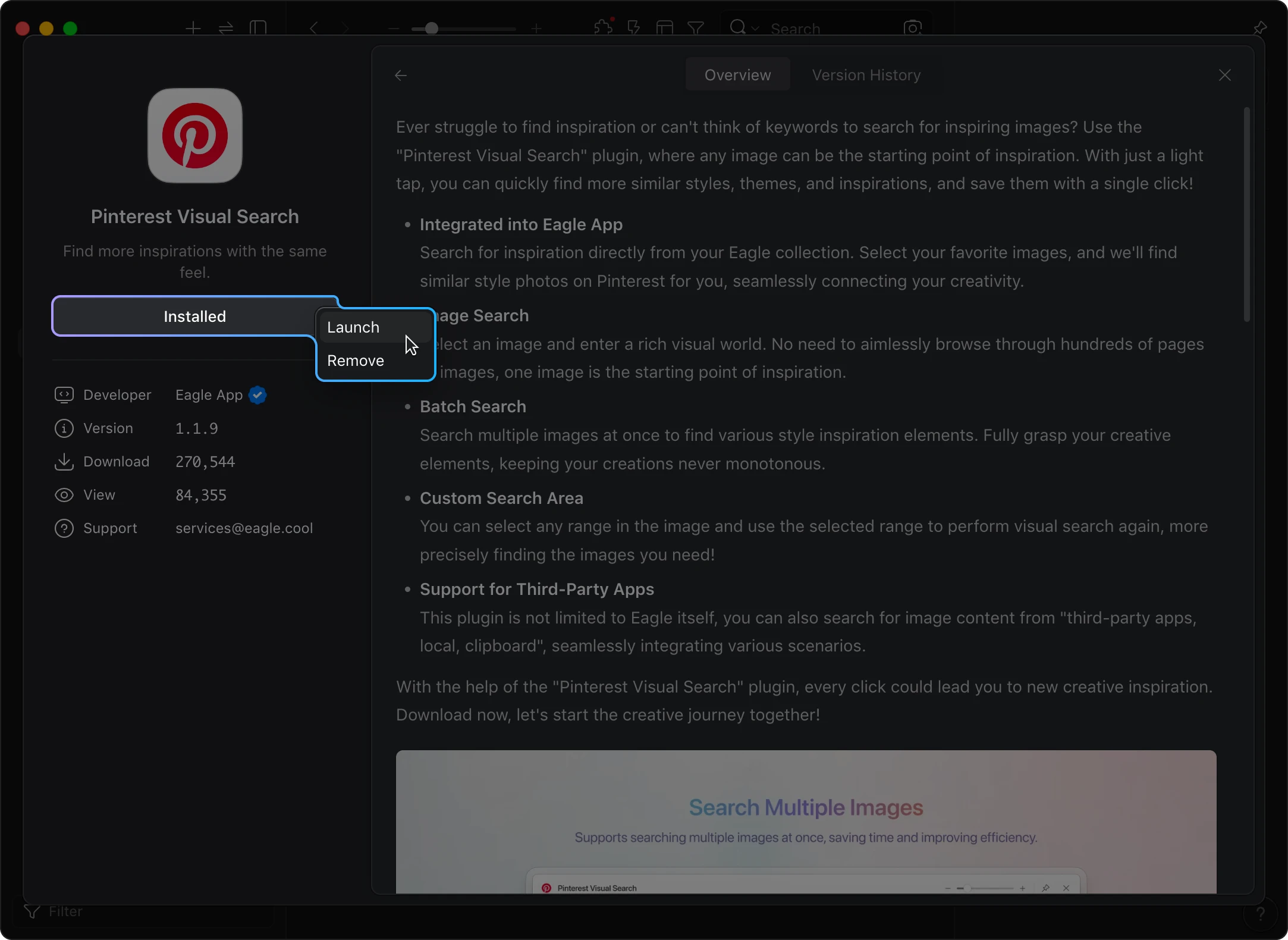
- "Installed" button now opens a context menu: Previously, clicking the "Installed" button only prompted you to remove the plugin. If you wanted to launch a newly installed plugin, you had to close the Plugin Center first, then navigate to the plugin panel to start it manually. Now, clicking "Installed" opens a menu with both "Launch" and "Remove" options — much more intuitive.
🐛 Bug Fixes
This update also addresses several issues affecting the user experience:
- Fixed an issue where dragging the custom scrollbar couldn't reach the last page and the thumb position was inaccurate
- Fixed Justified layout cramming all items into a single row when a folder contains only a few items
- Fixed dragging multiple folders to the sidebar not showing the blue highlight indicator
- Fixed closing the Preferences window causing the main application window to be hidden as well
🔮 Coming Soon: AI Search
You may have already noticed that after updating to Build 20, a couple of new panels have appeared in Preferences — "AI Search" and "AI Models."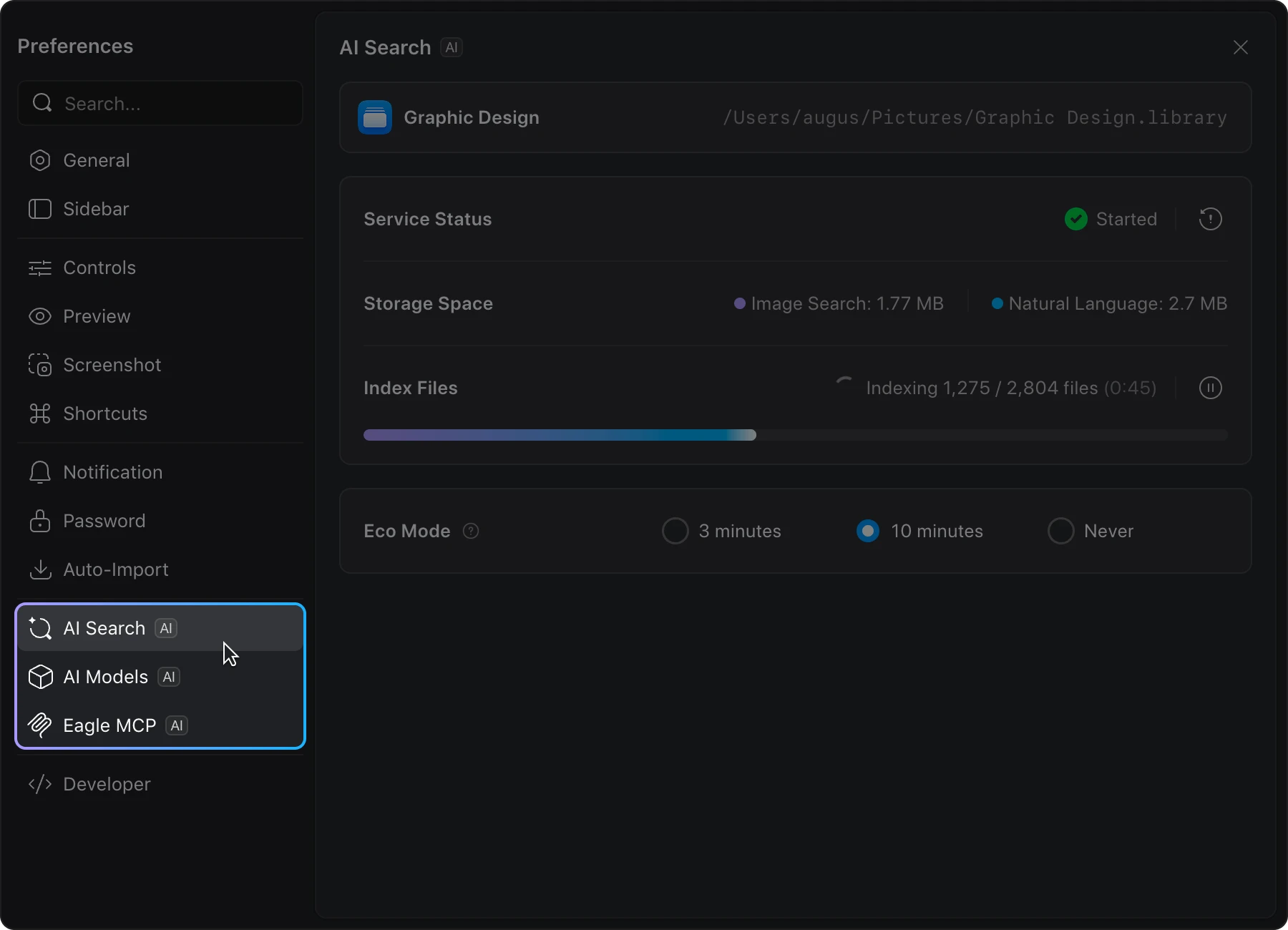
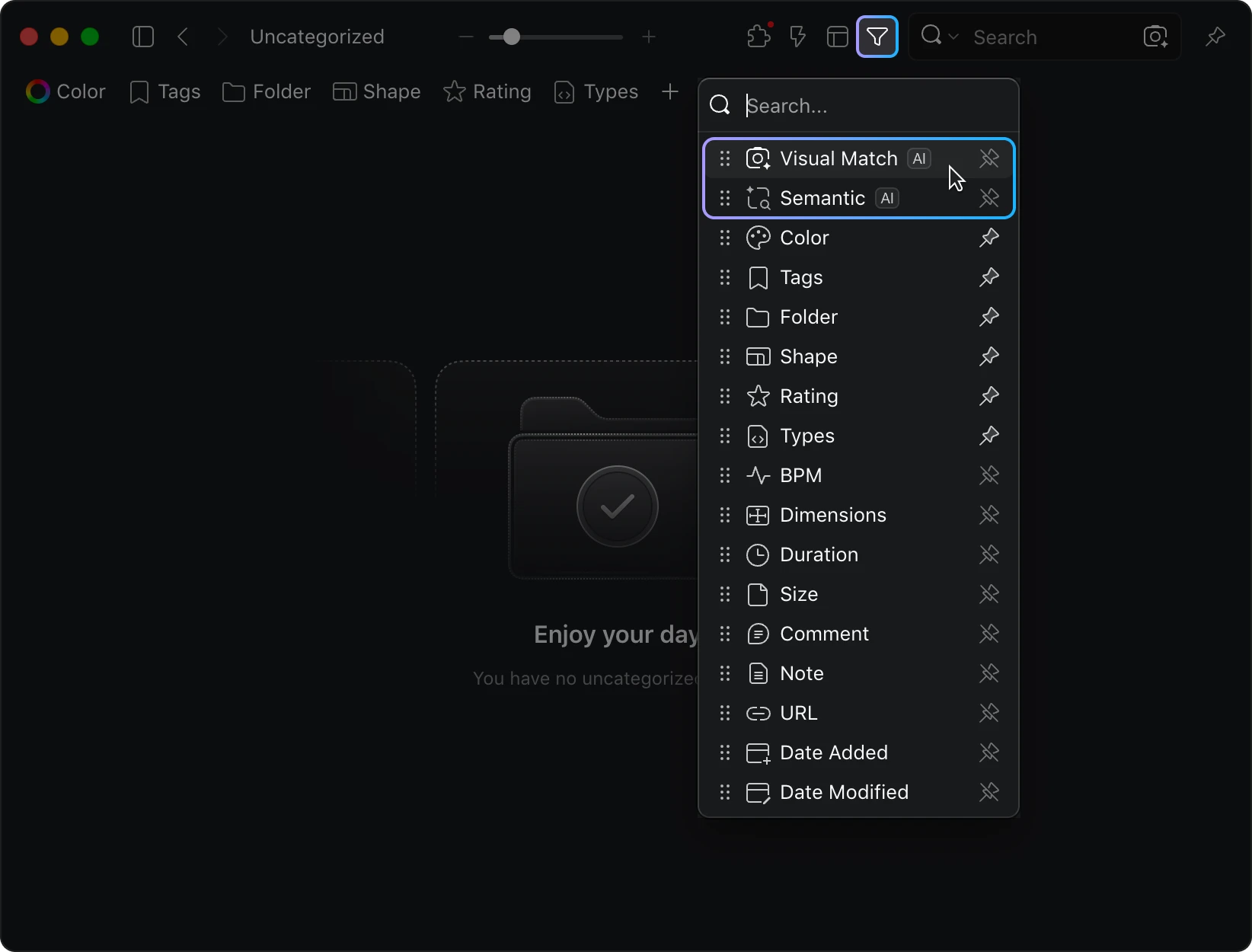
That's right — we're bringing brand-new AI-powered search capabilities to Eagle, including:
- Search by Image: Upload or select an image, and Eagle will find visually similar assets across your library.
- Semantic Search: Describe what you're looking for in natural language — for example, "a black puppy" — and Eagle will understand your intent and find relevant results.
These features will be rolling out as plugins over the coming weeks. Stay tuned!
📥 How to Get This Update
Eagle's minor version updates are not pushed automatically — you can update at your own pace. Simply head to our website to download the latest version:
관련 게시물